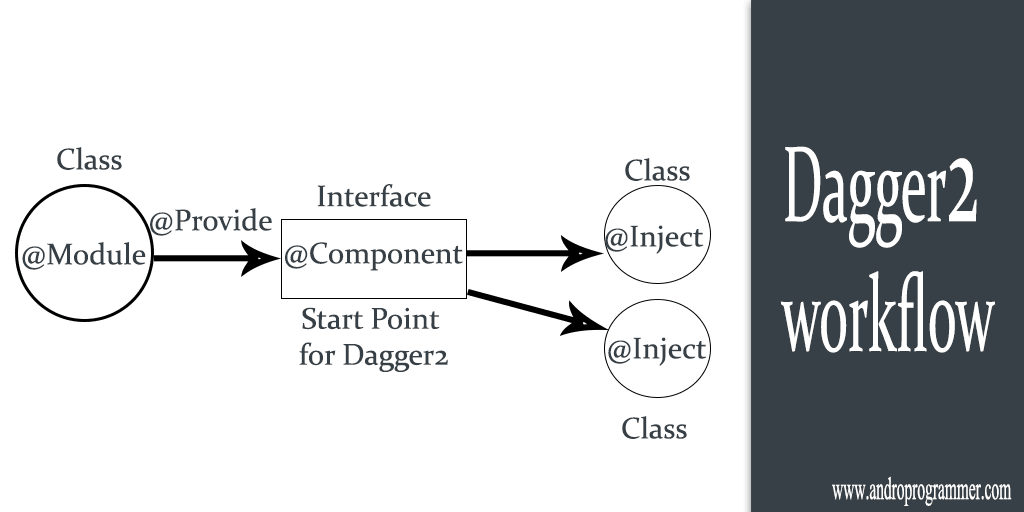
Android Application depends on different different components or on modules. Yes your whole application have lots of dependency like you require network component in many screens (Activities or Fragments) or User data, Preference Data in app etc you get from some other class or object that can be dependency. your class depends upon some particular class which provide data to you and then you can process data or information. these are the just examples components you need to make better and best apps.
But we developer know how painful it is to write code for declaration and initialization and then also check for null (nightmare for java developers). in every class or whenever you need some information from the other class you have to do these things.
What if this things done by some magic :).
Well there is no such thing like magic in programming. So you have to do it by your own or you can use dependency injector library Dagger2. Which will create object graph and then inject required object in dependent class. If you don't know much more about Dagger2 check out my previous post Guide For Dependency Injection Using Dagger2.
In this tutorial I am going to demonstrate sample app which i have created using Dagger2 , Volley and Gson.
Why volley ?
When you search for dagger2 samples on internet you will find lots of tutorials with Retrofit but what if i don't use retrofit. It is good library but require lots of boiler plate code for big apps (Too many interface when apps get bigger).
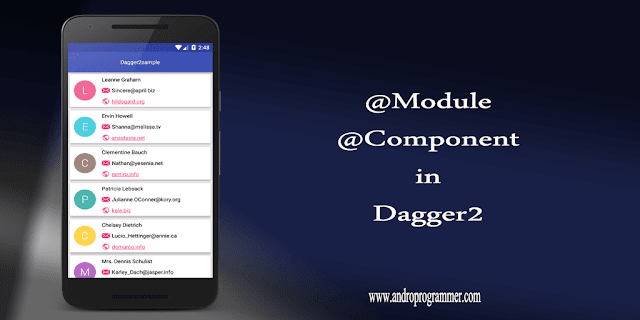
Ok Shut up and show me code...
First of all create Module Class with whatever dependency you want to inject using this Module. Create methods and use @Provides annotation for methods so dagger2 will understand which object you want to provide.
Ok now create interface for this Module which will work as component for it. in the example i have created DashboardActivityComponent which having only one method inject. Inject method is require in component because in that you will pass context (Fragment or Activity) in which you want to perform injection. dependent classes which require object from different modules. check below code for further understanding.
I have used NetModule (Volley class object , Gson class object) and DashboardComponent in this fragment. I have created sample user list using some open api. For full application code you can check out below github link. as i am also learning about Dagger2 and its sub component and much more i will post more on Dagger2 in future. so if you find this helpful and don't want to miss about Dagger2 subscribe to my blog for more updates.
Keep coding...
Source Code
But we developer know how painful it is to write code for declaration and initialization and then also check for null (nightmare for java developers). in every class or whenever you need some information from the other class you have to do these things.
What if this things done by some magic :).
Well there is no such thing like magic in programming. So you have to do it by your own or you can use dependency injector library Dagger2. Which will create object graph and then inject required object in dependent class. If you don't know much more about Dagger2 check out my previous post Guide For Dependency Injection Using Dagger2.
In this tutorial I am going to demonstrate sample app which i have created using Dagger2 , Volley and Gson.
Why volley ?
When you search for dagger2 samples on internet you will find lots of tutorials with Retrofit but what if i don't use retrofit. It is good library but require lots of boiler plate code for big apps (Too many interface when apps get bigger).
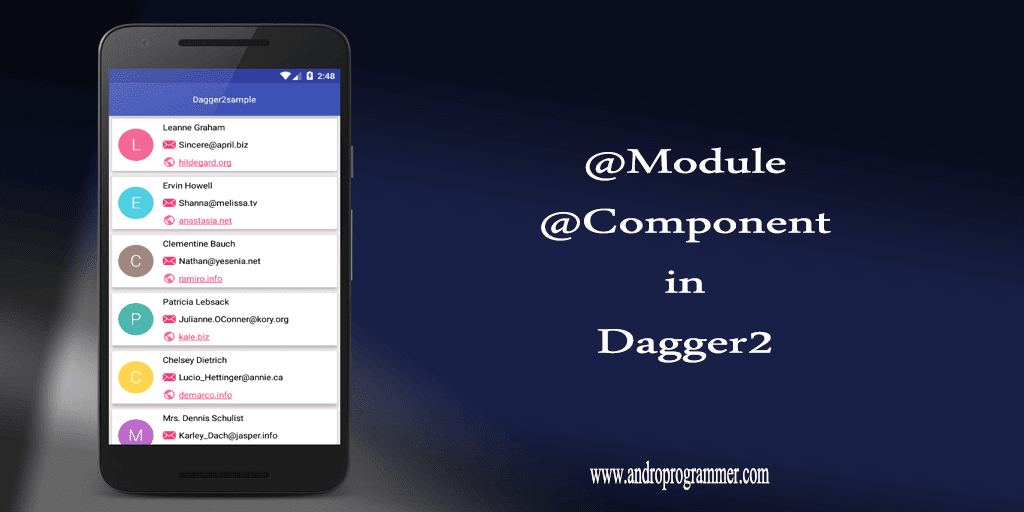
Ok Shut up and show me code...
First of all create Module Class with whatever dependency you want to inject using this Module. Create methods and use @Provides annotation for methods so dagger2 will understand which object you want to provide.
package com.androprogrammer.dagger2sample.domain.di.modules;
import android.content.Context;
import com.google.gson.FieldNamingPolicy;
import com.google.gson.Gson;
import com.google.gson.GsonBuilder;
import com.androprogrammer.dagger2sample.domain.network.NetworkManager;
import javax.inject.Singleton;
import dagger.Module;
import dagger.Provides;
@Module
public class NetModule {
    private Context context;
    public NetModule(Context ctx) {
        this.context = ctx;
    }
    @Provides  // Dagger will only look for methods annotated with @Provides
    @Singleton
    NetworkManager provideNetworkManager() {
        NetworkManager networkManager = NetworkManager.getInstance(context);
        return networkManager;
    }
    @Provides  // Dagger will only look for methods annotated with @Provides
    @Singleton
    Gson provideGson() {
        GsonBuilder gsonBuilder = new GsonBuilder();
        gsonBuilder.setFieldNamingPolicy(FieldNamingPolicy.LOWER_CASE_WITH_UNDERSCORES);
        gsonBuilder.excludeFieldsWithoutExposeAnnotation();
        return gsonBuilder.create();
    }
}
Ok now create interface for this Module which will work as component for it. in the example i have created DashboardActivityComponent which having only one method inject. Inject method is require in component because in that you will pass context (Fragment or Activity) in which you want to perform injection. dependent classes which require object from different modules. check below code for further understanding.
package com.androprogrammer.dagger2sample.domain.di.components;
import com.androprogrammer.dagger2sample.domain.di.modules.AppModule;
import com.androprogrammer.dagger2sample.domain.di.modules.NetModule;
import com.androprogrammer.dagger2sample.ui.fragments.UserListFragment;
import javax.inject.Singleton;
import dagger.Component;
@Singleton
@Component(modules =  {NetModule.class, AppModule.class})
public interface DashboardActivityComponent {
    void inject(UserListFragment fragment);
}
UserListFragment.java
package com.androprogrammer.dagger2sample.ui.fragments;
import android.content.SharedPreferences;
import android.os.Bundle;
import android.support.annotation.Nullable;
import android.support.v7.widget.RecyclerView;
import android.text.TextUtils;
import android.util.Log;
import android.view.LayoutInflater;
import android.view.View;
import android.view.ViewGroup;
import android.widget.LinearLayout;
import android.widget.TextView;
import com.android.volley.Request;
import com.google.gson.Gson;
import com.google.gson.reflect.TypeToken;
import com.androprogrammer.dagger2sample.AppController;
import com.androprogrammer.dagger2sample.R;
import com.androprogrammer.dagger2sample.domain.adapters.DashBoardListAdapter;
import com.androprogrammer.dagger2sample.domain.listeners.RequestListener;
import com.androprogrammer.dagger2sample.domain.listeners.RowItemElementClickListener;
import com.androprogrammer.dagger2sample.domain.network.NetworkManager;
import com.androprogrammer.dagger2sample.domain.network.RequestBuilder;
import com.androprogrammer.dagger2sample.domain.util.Utility;
import com.androprogrammer.dagger2sample.models.UserDataResponse;
import java.lang.reflect.Type;
import java.util.ArrayList;
import java.util.List;
import javax.inject.Inject;
import butterknife.BindView;
import butterknife.ButterKnife;
/**
 * Created by wasim on 8/1/2016.
 */
public class UserListFragment extends BaseFragment implements RequestListener {
 @BindView(R.id.recycler_users)
 RecyclerView recyclerUsers;
 @BindView(R.id.tv_noData)
 TextView tvNoData;
 @BindView(R.id.layout_data)
 LinearLayout layoutData;
 @BindView(R.id.layout_progress)
 LinearLayout layoutProgress;
 private View view;
 @Inject
 SharedPreferences sharedPreferences;
 @Inject
 NetworkManager networkManager;
 @Inject
 Gson gsonParser;
 private List<UserDataResponse> mUserData;
 private DashBoardListAdapter mAdapter;
 private int reqId = -1;
 private static final String TAG = "UserListFragment";
 @Override
 public void onCreate(Bundle savedInstanceState) {
  super.onCreate(savedInstanceState);
  //Log.d(TAG, "oncreate");
 }
 @Override
 public View onCreateView(LayoutInflater inflater, ViewGroup container,
                          Bundle savedInstanceState) {
  // Inflate the layout for this fragment
  view = inflater.inflate(R.layout.fragment_userlist, container, false);
  initializeView();
  return view;
 }
 @Override
 public void onViewCreated(View view, @Nullable Bundle savedInstanceState) {
  super.onViewCreated(view, savedInstanceState);
  userList();
 }
 @Override
 public void onStop() {
  networkManager.removeListeners(this);
  super.onStop();
 }
 private void initializeView() {
  ButterKnife.bind(this, view);
  ((AppController) getActivity().getApplication()).getmNetComponent().inject(this);
 }
 private void userList() {
  networkManager.addListener(this);
  networkManager.isProgressVisible(true);
  reqId = networkManager.addRequest(RequestBuilder.getRequestParameter(null), getActivity(),
    TAG, Request.Method.GET, RequestBuilder.SERVER_URL_API);
 }
 @Override
 public void onSuccess(int id, String response) {
  try {
   if (!TextUtils.isEmpty(response)) {
    if (id == reqId) {
     Log.d(TAG, response);
     Type listType = new TypeToken<ArrayList<UserDataResponse>>() {
     }.getType();
     mUserData = gsonParser.fromJson(response, listType);
     if (mUserData != null) {
      mAdapter = new DashBoardListAdapter(getActivity(), mUserData);
      mAdapter.setAnimateItems(true);
      recyclerUsers.setAdapter(mAdapter);
      mAdapter.setAnimateItems(false);
     } else {
      recyclerUsers.setVisibility(View.GONE);
      tvNoData.setVisibility(View.VISIBLE);
     }
    }
   }
  } catch (Exception e) {
   e.printStackTrace();
  }
 }
 @Override
 public void onError(int id, String message) {
  Utility.showToast(getContext(), message);
  //Log.d(TAG, "onError: " + message);
 }
 @Override
 public void onStartLoading(int id) {
  layoutData.setVisibility(View.GONE);
  layoutProgress.setVisibility(View.VISIBLE);
 }
 @Override
 public void onStopLoading(int id) {
  layoutProgress.setVisibility(View.GONE);
  layoutData.setVisibility(View.VISIBLE);
 }
}
I have used NetModule (Volley class object , Gson class object) and DashboardComponent in this fragment. I have created sample user list using some open api. For full application code you can check out below github link. as i am also learning about Dagger2 and its sub component and much more i will post more on Dagger2 in future. so if you find this helpful and don't want to miss about Dagger2 subscribe to my blog for more updates.
Keep coding...
Source Code